Create skill docs
A skill doc is a normal Falconer document marked as Type: Skill.
Use skill docs for repeatable instructions, checklists, review flows, and team-specific workflows.
When to create a skill doc
Section titled “When to create a skill doc”Create a skill doc when your team has a workflow that should run the same way every time, such as:
- Generating a weekly report from pull requests, meetings, memories, and recent messages in a named public Slack channel
- Reviewing a rollout plan against your team’s launch checklist
- Writing release notes in your team’s preferred format
- Turning incident notes into a postmortem
- Checking a draft against an internal style guide
- Summarizing customer feedback with a standard set of themes
Skill docs work best when they are specific. Instead of writing a broad doc like “How to write good docs,” write a focused skill like “Generate weekly report.”
Write the skill
Section titled “Write the skill”Start by creating a regular Falconer document. Give it a clear title that describes the workflow.
A useful skill doc usually includes:
- When to use it – the task or situation the skill is for
- Inputs – what Falcon should look at before doing the task
- Steps – the checklist or process Falcon should follow
- Output format – how Falcon should structure the response or draft
For example:
# Generate weekly report
Use this skill when writing a weekly team report for a specific date range.
Before writing, search for relevant pull requests, meeting notes, stored memories, and recent messages in the named public Slack channel that Falcon has joined.
Include:- shipped work- in-progress work- blockers or risks- important decisions- follow-ups for next week
Respond with:1. A short executive summary2. Bullets grouped by theme3. Links or citations to the source material Falcon used
Mark the doc as a skill
Section titled “Mark the doc as a skill”After you write the document, mark it as a skill:
- Open the document in Falconer.
- Click the more button in the top-right corner.
- Select Details.
- In Properties, open the Type menu.
- Select Skill.
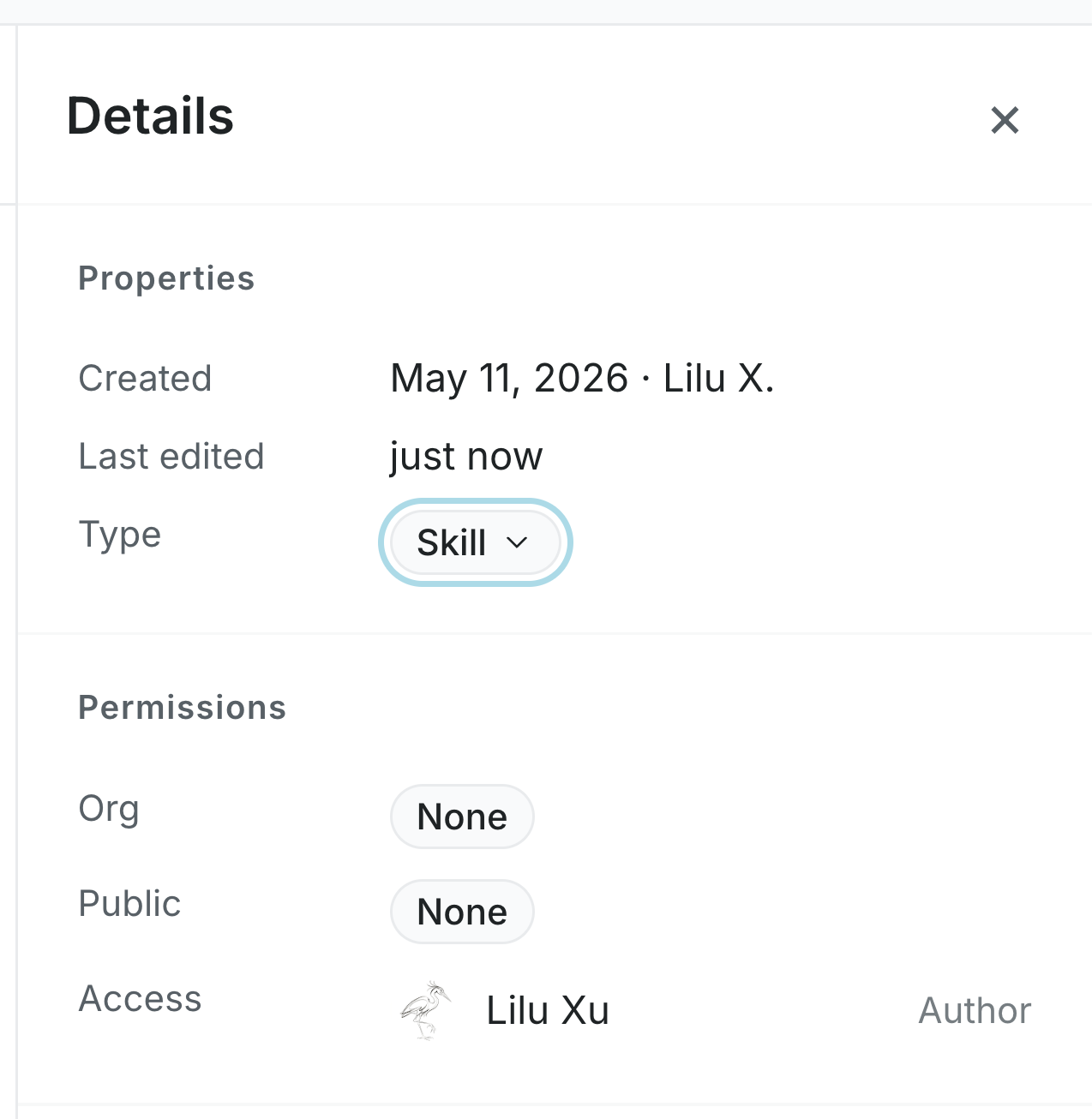
You need edit access to the document to change its type. If you do not see Skill as an option, skill docs may not be enabled for your organization.
Share and maintain the skill
Section titled “Share and maintain the skill”Skill docs use normal Falconer document permissions. To share a skill with more teammates, update the document’s sharing settings or publish it where the right people can access it.
To update a skill, edit the original document. Falcon uses the latest version the next time someone references it.
To stop using a document as a skill, open Details, change Type back to Document, or archive the document.
To reference a skill in chat, see Use skill docs.