The best markdown editor for developer workflows
Most markdown editors force a trade. You can have a fast local editor that nobody else can see, or a heavier doc platform that fights the way you work. The notes end up in one tool, the docs in another, and the context that ties them together lives in neither.
A good editor closes that gap. It runs as fast as your code editor and keeps the rest of the team in the same file: comments, suggestions, and history, without the proprietary format a wiki locks you into.
TLDR
The best markdown editor for a dev team writes as fast as a local app, handles review the way Google Docs does, and stays wired to the code and issues the docs are about. Look for native markdown, a clean export, real review tools (comments, suggestions, history), and awareness of the surrounding code. Falconer is built for that.
What “fits your workflow” actually means
A markdown editor earns its place when it does four things.
First, it reads and writes raw markdown. No proprietary format, nothing to convert. What you write follows a standard like CommonMark, exports clean, and can sit in version control if that’s where you want it.
Second, it stays out of the way. Slash commands and keyboard shortcuts, with live rendering as you type, so you never break flow to format something.
Third, it handles real review. Comments, suggestions, and edit history, not a shared link and good intentions.
Fourth, it knows the surrounding context. It connects to your code, your issues, and your existing docs instead of treating every file as an island.
The first two are table stakes. The last two are what separate a note app from something your team can build on.
Features that matter
Editing that feels native
You want syntax highlighting, click-to-copy code blocks, and live rendering as you type. Slash commands and arrow-key navigation keep your hands on the keyboard. If you have to reach for the mouse to build a table, the tool is already too slow.
It should handle rich blocks on top of plain text too: tables, callouts, diagrams, math. And when you’re done, it exports clean markdown, so the content stays portable.
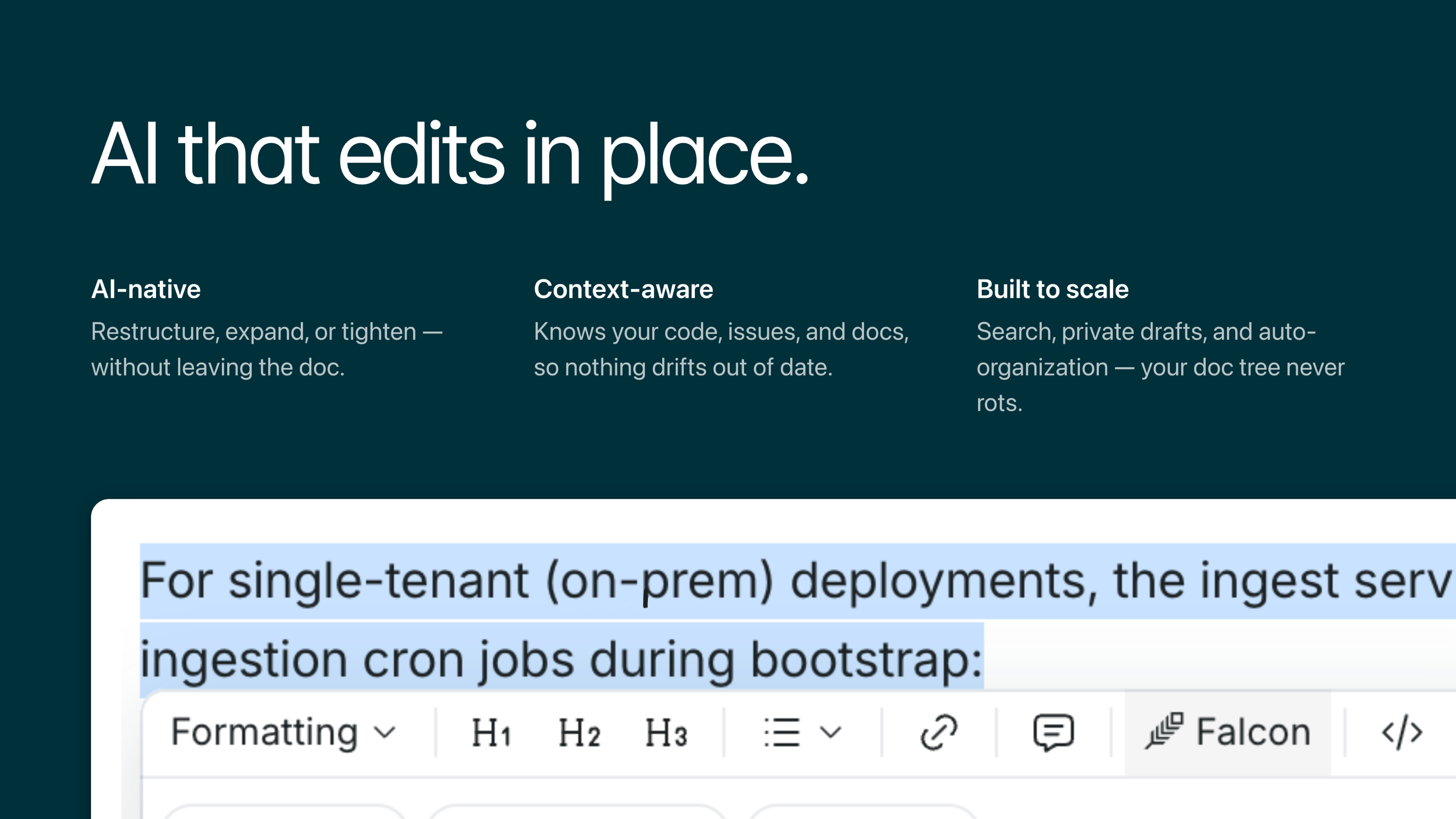
Inline AI that edits in place
Highlight any text and ask the editor to restructure it, turn a paragraph into a table, expand a section, or tighten one up. The edit lands in the document itself, so you’re not pasting back and forth between a chat window and your file.
Collaboration without the overhead
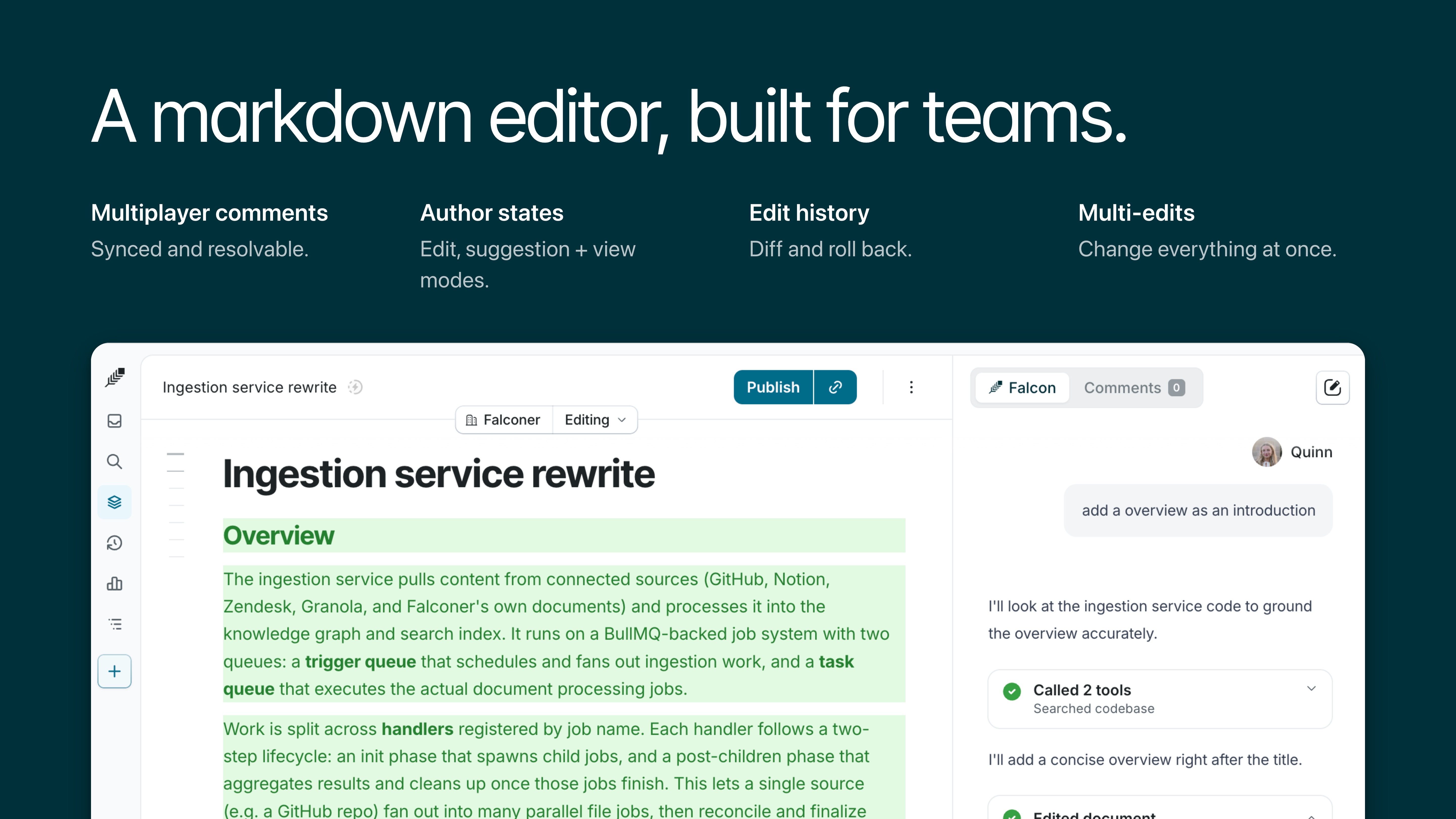
This is the part that turns a markdown file into something a team can work on:
- Multiplayer comments so reviewers leave feedback inline.
- Suggestion mode for proposing edits without stepping on the author.
- A toggle between reading and writing, no second app required.
- Comment threads that sync and resolve, so nothing gets buried.
- Edit history, so you can diff versions, see what changed, and roll back.
- Multi-edit support for moving through a long doc in passes.
- @-references that link docs to each other, to issues, and to the code itself.
Review starts to feel like a pull request instead of a thread of “can you change this?”
Context that comes built in
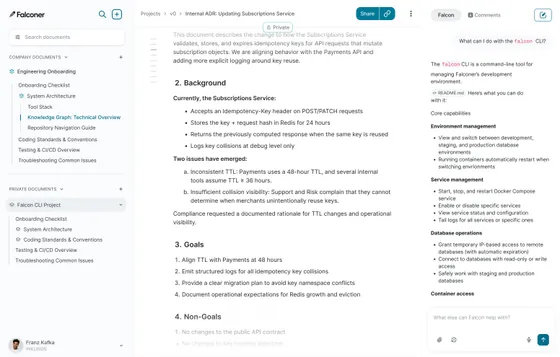
The editors worth keeping connect to where the work already happens. They reference your codebase, link to issues, and cross-reference other docs, so a guide is never a dead-end file. When the editor understands the code it documents, the docs stop drifting out of date.
Past a single file
An editor that works for one doc should hold up across a hundred. That means search across everything you’ve written, visibility controls so you can draft in private before sharing, and auto-organization that keeps the doc tree in shape instead of letting it rot into a folder graveyard.
How Falconer fits
Falconer was built for this gap. You write in markdown with live rendering, syntax-highlighted code blocks, and slash commands, so the editing feels native. Comments, suggestions, and version history are built in, so a review reads like a pull request rather than a chain of “can you fix this?”
The difference is context. Falconer connects to your code, your Linear issues, Slack, and meeting notes, and it cross-references other docs with @. Highlight any passage and ask the agent to restructure it, turn it into a table, or expand it. The point is an editor that keeps your knowledge accurate in the background, instead of making you maintain it by hand. See more in the Falconer guides.
How to choose
Write a real doc, code blocks and a table included, and watch where formatting slows you down. If it breaks your flow, that’s your answer.
Then run a review cycle. Have a teammate comment and suggest edits, and see whether resolution and history actually hold up.
Look at what the editor connects to. One that knows your code and issues saves you from the copy-paste rot that puts docs out of sync.
Last, pull your content out as plain markdown. If it comes out clean, you were never locked in.
FAQ
Is there a tool like Google Docs but for markdown files?
There is. A markdown-native collaborative editor gives you what people actually like about Google Docs, multiplayer comments, suggestion mode, version history, while storing everything as plain markdown instead of a proprietary format. Falconer does this: real-time collaboration on top of markdown you can export or keep in version control.
Why not just use a local markdown editor?
Local editors like Obsidian are fast, but they’re invisible to everyone else. The first time you need a review, an inline comment, or a shared history, you’re back to emailing files and pasting screenshots.
What is the best markdown editor for teams?
For a team, the editor has to pair native markdown editing with real review: comments, suggestions, edit history, shared visibility. It should also reach into where the team already works, the codebase and the issue tracker, so the docs don’t drift away from the code they describe.
What about Notion or Confluence?
Both Notion and Confluence collaborate well, but they bury your content in a proprietary format and don’t connect to your codebase. Over time the documentation drifts out of sync with the code, and the content is hard to export cleanly the day you want to leave.
Does markdown limit what I can write?
Markdown doesn’t limit you in practice. Modern editors support tables, callouts, diagrams, and syntax-highlighted code on top of plain text, so you keep full portability without giving up rich formatting.
Can a markdown editor connect to my codebase and issues?
A context-aware editor can. It references your code, links to issues, and cross-references other docs, so no guide is a dead end. When it understands the code it documents, the docs stay accurate as that code changes.
How do I avoid getting locked into a documentation tool?
Pick an editor that speaks raw markdown and exports cleanly. If you can pull everything out as plain markdown whenever you want and drop it into version control, there’s nothing to lock you in.
Ready to get started?
Create an account and start building your knowledge base — no contracts or credit card required. Or, contact us to design a custom package for your team.
Ready to get started?
Create an account and start building your knowledge base — no contracts or credit card required. Or, contact us to design a custom package for your team.