GitBook vs Mintlify vs Falconer for docs-as-code teams
For docs-as-code teams using GitHub, Falconer is the strongest choice when your public docs need to stay accurate as your code and internal knowledge change. It pairs two-way GitHub sync with self-updating docs and cross-source checks across code, Slack, meetings, and tickets. Mintlify works for teams on GitLab, Bitbucket, or Azure Repos who want an isolated developer docs site. GitBook fits cross-functional teams on GitHub or GitLab that want a block-based visual editor and simple two-way Git Sync.
TL;DR
- Falconer is an AI knowledge base for people and agents that writes and updates your docs as your code changes; its two-way sync connects one path of one branch of a GitHub repository to a Falconer space.
- Mintlify is a standalone developer docs platform with a Git-backed web editor; it supports GitHub and GitLab on standard plans, while GitHub Enterprise Server, Bitbucket Cloud, and Azure Repos require an Enterprise plan.
- GitBook is a documentation platform whose Git Sync works in both directions with GitHub or GitLab, paired with a visual block editor.
- All three now have an agent that proposes docs updates: Falconer’s auto-update (every plan), Mintlify Autopilot (Pro and up), and GitBook Agent’s automatic suggestions (beta).
- The biggest difference is scope. Falconer keeps internal and public docs in one space and checks them against code, Slack, meetings, and tickets; GitBook and Mintlify center on the published docs site.
- Pick Falconer on GitHub to keep public docs and internal knowledge current from your code, Mintlify if you use Bitbucket, Azure Repos, or GitLab, and GitBook for visual block editing on GitHub or GitLab.
What is docs-as-code, and what do these three tools add?
Docs-as-code is the practice of writing documentation with the same tools as code: issue trackers, Git, plain-text markup, code review, and automated tests, as Write the Docs describes it. The docs live as Markdown or MDX files in a repository and change through commits and pull requests. For how to keep that setup from drifting, see docs as code: how to keep documentation in sync with your codebase.
Falconer, Mintlify, and GitBook all keep those files in Git and add a visual editor on top, so people who don’t use Git can edit the same docs. They differ in which Git hosts they support, how editor changes reach the repository, how they help keep docs current, and what the product covers beyond publishing a docs site.
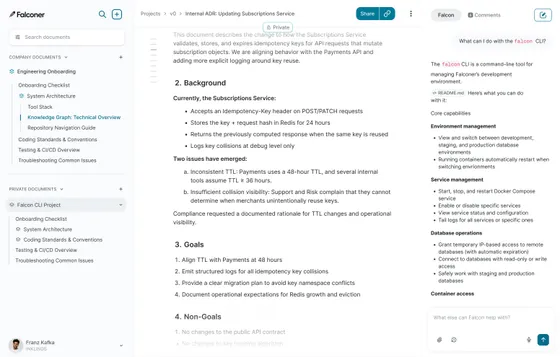
Falconer is an AI knowledge base that writes and updates your docs as your code changes. Its two-way sync connects a Falconer space to a GitHub repository, and the same space can publish as a public docs site.
Mintlify is a developer documentation platform that stores docs as MDX in your repository and adds a web editor that commits and opens pull requests for you.
GitBook is a documentation platform with a block-based visual editor and Git Sync, a bi-directional integration with GitHub and GitLab.
Feature comparison
All three sync Markdown with Git, while Falconer also connects your docs repository to an internal knowledge base and checks both against your code. As of November 2026:
| Tool | Git hosts | How editor changes reach Git | Preview per pull request |
|---|---|---|---|
| Falconer | GitHub | Pushed as a direct commit or a PR | No, private build preview instead |
| Mintlify | GitHub, GitLab, GitHub Enterprise Server, Bitbucket Cloud, Azure Repos | Commit on publish, or a PR from a branch | Yes, on paid plans |
| GitBook | GitHub, GitLab | Synced automatically | Yes, for GitHub PRs |
Beyond the Git connection, the three diverge on how they keep docs current and what they cover:
| Tool | Agent that proposes doc updates | Agent-facing outputs | Scope |
|---|---|---|---|
| Falconer | Auto-update, on every plan | llms.txt, llms-full.txt, Markdown pages, MCP server, CLI, Ask AI | Docs sites and internal knowledge base |
| Mintlify | Autopilot, Pro and up | llms.txt, llms-full.txt, Markdown pages, MCP server | Docs sites |
| GitBook | GitBook Agent, suggestions in beta | llms.txt, llms-full.txt, Markdown pages, MCP server | Docs sites |
The deciding facts: Falconer combines a public docs site with a full internal knowledge base and updates both from merged GitHub PRs, while Mintlify keeps its knowledge base (beta) as a separate project, and Mintlify and GitBook are mainly needed if you host repos outside GitHub.
How does each tool sync with Git?
Falconer
Falconer’s two-way sync connects a space to one path of one branch of a GitHub repository. Commits to the synced branch are pulled into the space automatically. Edits made in Falconer stay there until someone pushes them, as a direct commit or a pull request depending on the space’s merge strategy, and each push is authored by the editor’s own connected GitHub account. When the same part of a document changes on both sides, the editor chooses Keep Falconer or Accept GitHub for each conflict (Get changes from GitHub).
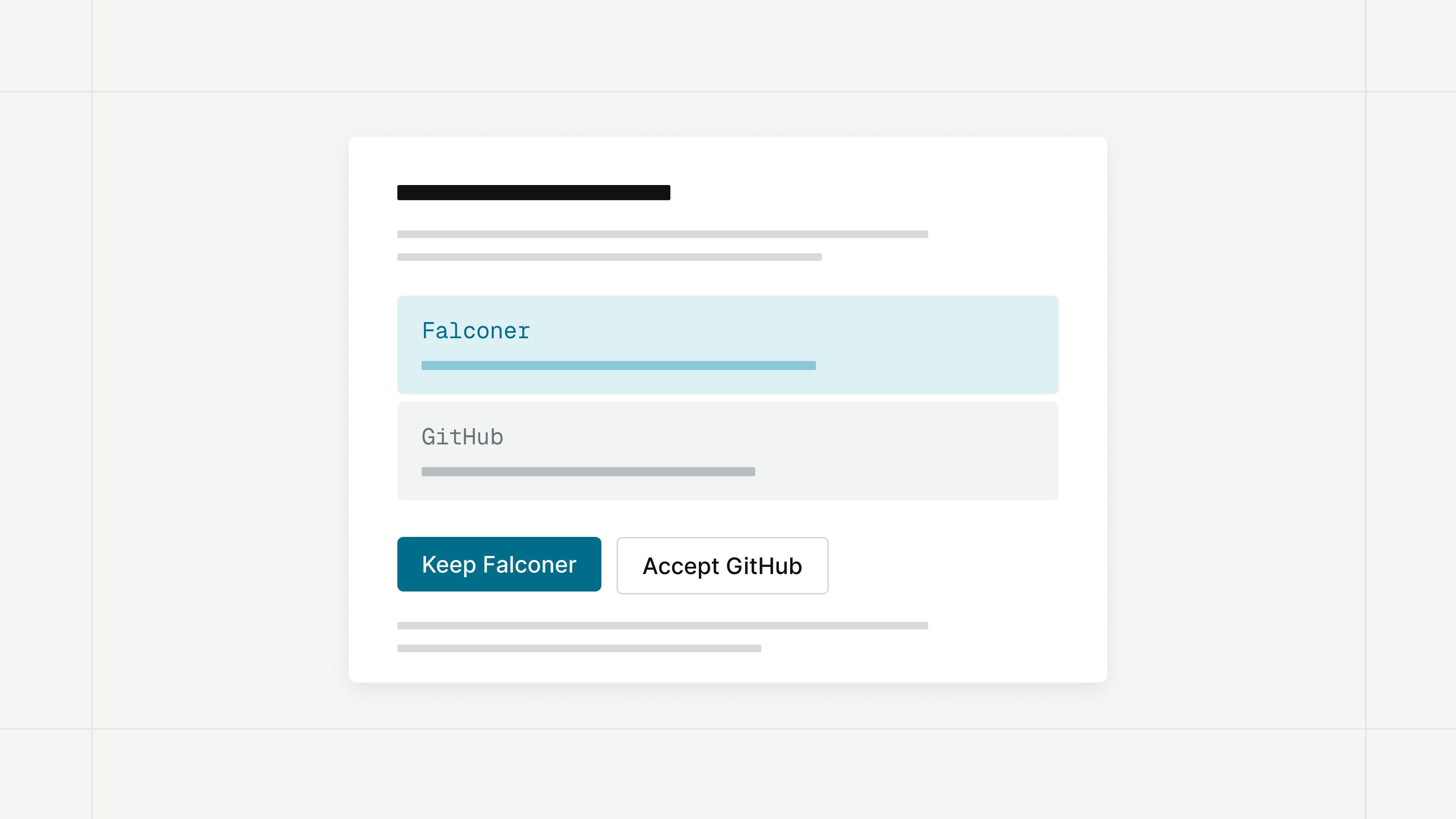
Site settings for a synced docs site are written to a falconer.json file in the repository.
Organization owners can preview a build privately before publishing it, and roll back by publishing an older build.
Mintlify
Mintlify’s web editor layers a custom branch workflow on top of Git, but in-editor review approvals are locked to its Enterprise plan (in beta, and only for GitHub). On standard plans, editors click Publish and Request review in Mintlify, but reviewers still have to leave the editor to approve the pull request in their Git provider before someone can click Merge and publish. By default, web editor commits are also signed by the Mintlify GitHub App rather than the author unless each editor manually connects their GitHub account.
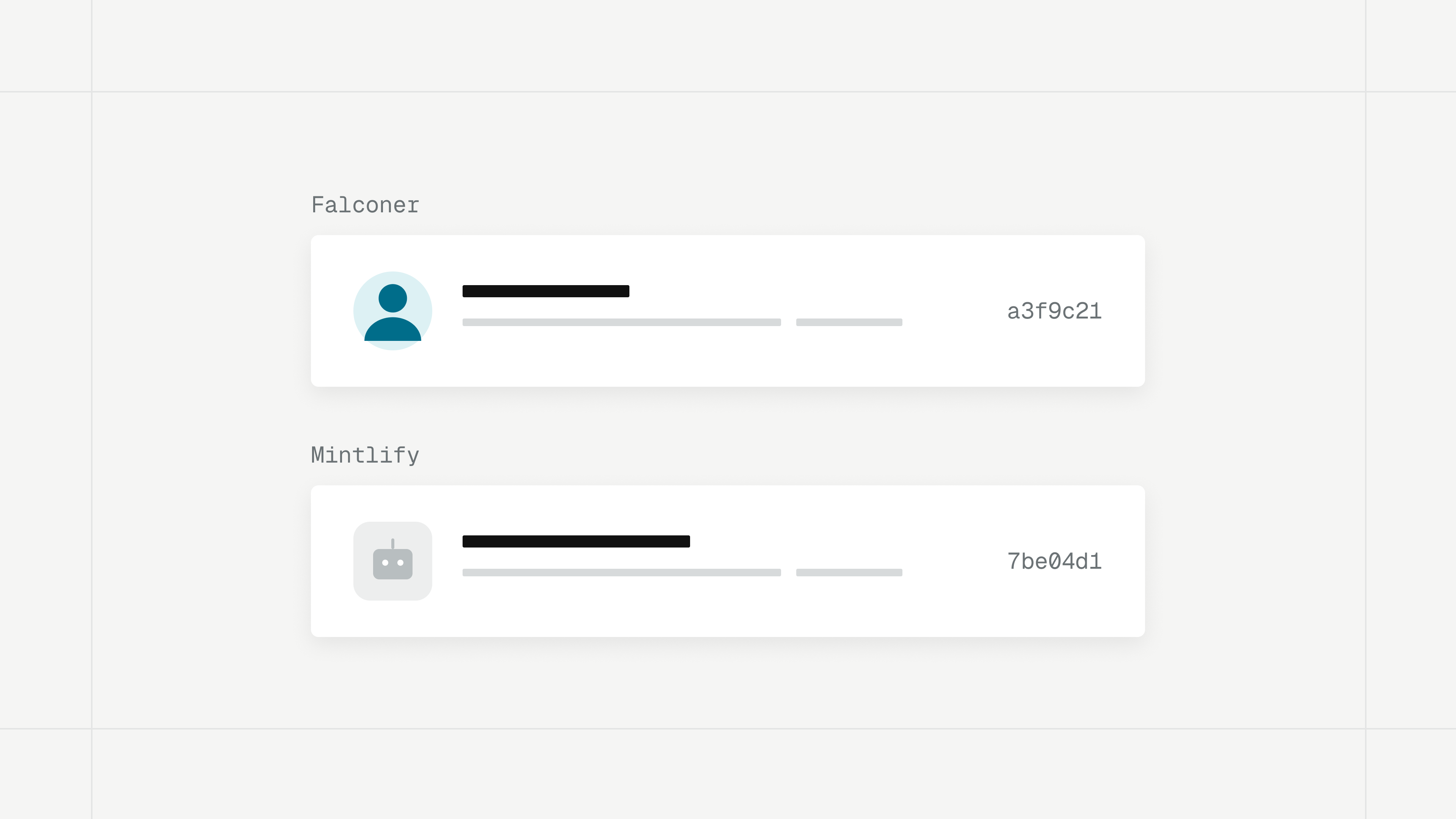
While Mintlify lists five Git hosts, most of that support and several core workflow features sit behind Enterprise paywalls or host restrictions. GitHub and GitLab are standard, while GitHub Enterprise Server, Bitbucket Cloud, and Azure Repos all require an Enterprise plan, and Bitbucket Cloud doesn’t support Mintlify’s Slack agent or automations. Preview deployments require a paid plan, and keeping those preview links private behind authentication or a password requires Enterprise (on other paid plans, anyone with the URL can view a PR preview).
GitBook
GitBook’s Git Sync is bi-directional with GitHub and GitLab: edits made in GitBook’s editor sync to the repository, and commits on GitHub or GitLab sync into GitBook.
Only administrators and creators can enable and configure it.
Repository directories, content roots, and navigation are configured in code through gitbook-docs.yaml, .gitbook.yaml, and SUMMARY.md.
For GitHub, every PR targeting a synced branch gets a status with a preview URL. Preview links are only accessible to GitBook users, aren’t generated for PRs from forks by default, and aren’t available for sites published behind authenticated access.
How does each tool keep docs current when code changes?
All three now have an agent that proposes documentation updates, and they differ in what triggers it and how much it costs.
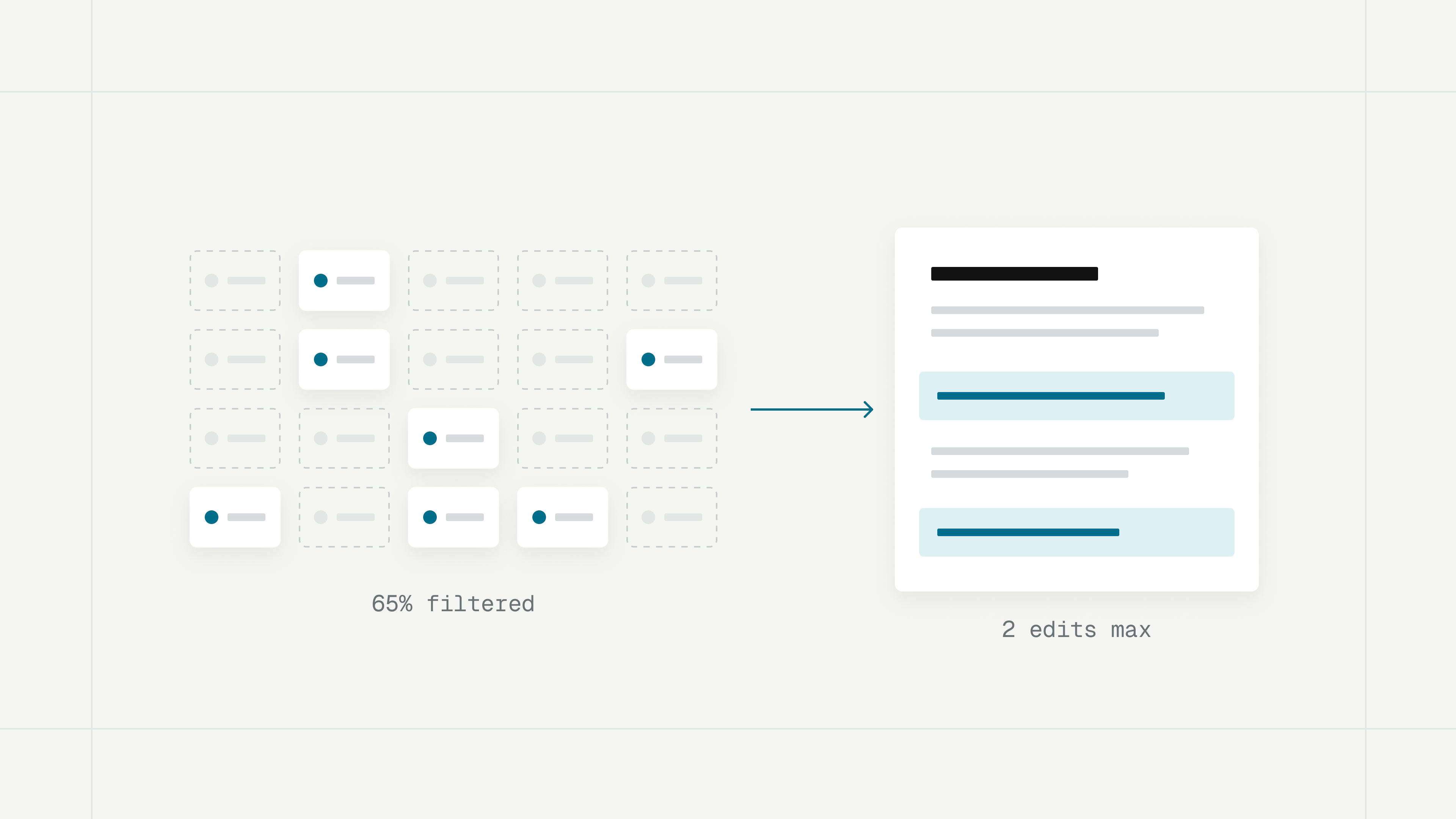
Falconer auto-update is built for people who hate AI slop. When a pull request merges in a connected GitHub repository, Falconer runs an adversarial LLM-as-a-Courtroom filter that requires exact quotes from both the PR diff and the target doc plus a concrete harm statement, filtering out 65% of merged PRs before review. When an update is warranted, Falconer proposes at most two surgical edits per document (Automatically update documents) and checks them against your custom instructions (set at the organization, Space, folder, or document level) and team Skill documents, dropping any draft that breaks a writing rule. In Review mode, drafts wait for the owner or assigned folder reviewers in the Falconer inbox or Slack, and a Knowledge Health finding that writers ignore isn’t filed again on the next scan.
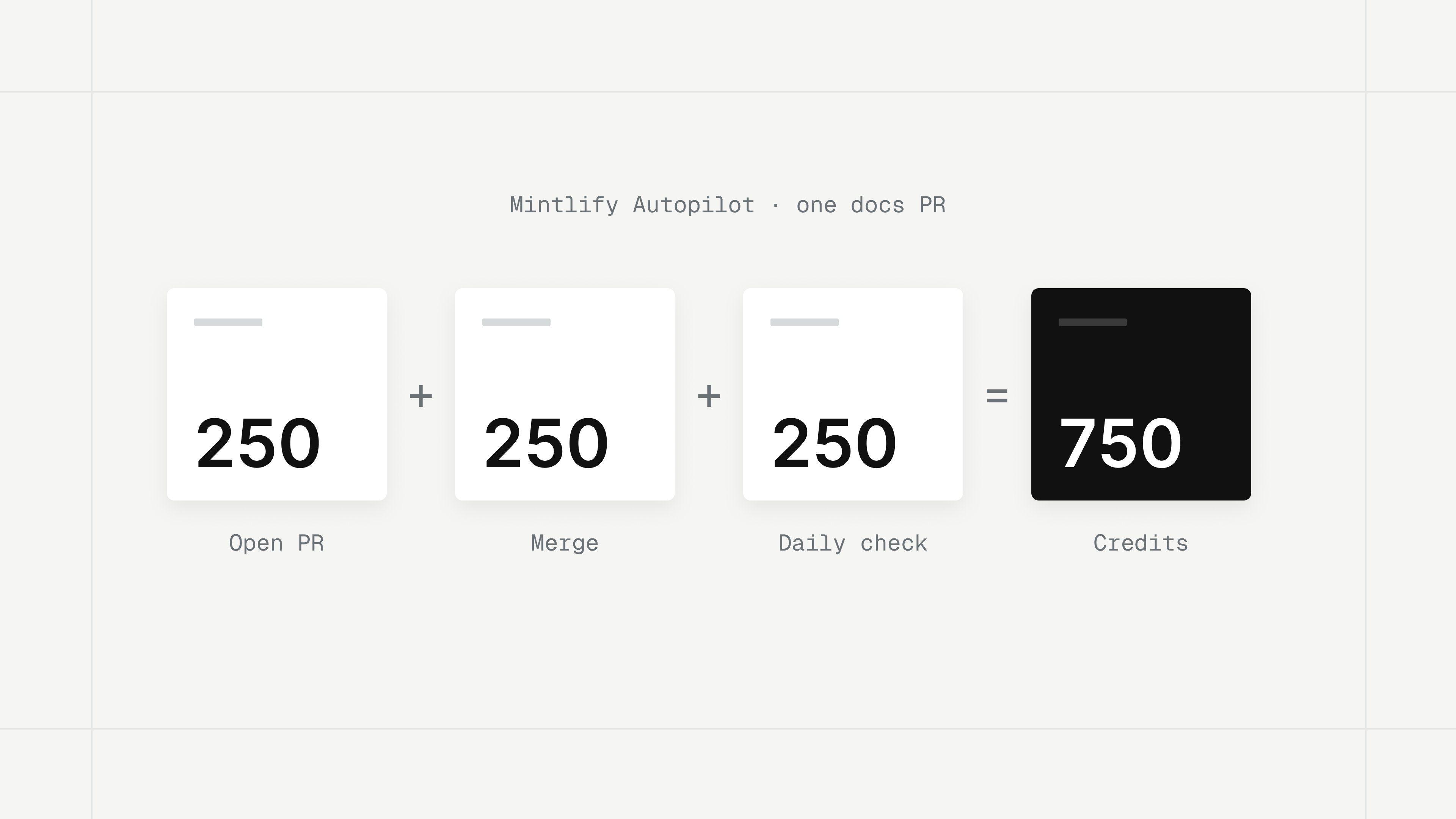
Mintlify Autopilot opens docs pull requests when code merges into connected repositories. It only works on repositories you own in GitHub, GitLab, or Azure DevOps (not Bitbucket Cloud), and noisy runs get expensive fast: per Mintlify’s Autopilot docs and changelog, every automated run costs 250 credits to open a pull request and another 250 credits each time a later merge or daily check pushes to that branch. For how those credits add up across a plan, see how to reduce your Mintlify costs.
GitBook Agent can write and revise docs on request and review change requests. Its automatic documentation suggestions, which are in beta, consume data from connected sources and open change requests. GitBook’s GitHub integration for the Agent brings it into PR and issue workflows to open change requests from code context.
What does each tool cover beyond the docs site?
This is where the three differ most, and where the choice usually gets made.
GitBook and Mintlify are built around the published docs site. Both have broadened: GitBook positions its platform for product docs, API docs, and internal knowledge, and its Agent can ingest support tickets and other connected sources. Teams can ask Mintlify Autopilot about a docs mismatch from Slack. But the center of both products is the docs site and the repository behind it.
Falconer starts from the other end. It’s a knowledge base for the whole company that can also publish a docs site from the same space (How public docs work). Three things follow from that:
- Internal and public docs live together. A runbook, a design decision, and the public setup guide it informs can sit in the same space, with the public subset published as a site.
- Checks run across sources, not just the docs repository. Knowledge Health compares docs with code and connected sources. It flags contradictions, stale docs, code drift, redundancy, and coverage gaps, meaning topics that come up in Slack, meetings, code, or tickets with no doc covering them.
- The whole team gets answers. People ask questions in Slack or the web app and get answers grounded in code, docs, and conversations, with citations so they can check them.
That matters when public docs and internal knowledge drift apart. An engineer changes a default in code and updates the repo docs, but the internal runbook support uses still says the old value, and nobody notices until a customer or an AI assistant repeats the wrong answer.
How do you choose between GitBook vs Mintlify vs Falconer for docs-as-code teams?
Choose between GitBook, Mintlify, and Falconer by deciding whether you want your docs to stay connected to your codebase and internal knowledge, or only want a standalone site renderer.
| If your team | Choose | Deciding factor |
|---|---|---|
| Has public docs that contradict internal runbooks or Slack | Falconer | Knowledge Health flags contradictions across code, tickets, conversations |
| Wants internal and public docs in one place on GitHub | Falconer | Publishes public docs from the company knowledge base |
| Wants docs updated from GitHub PRs | Falconer | Auto-update draws on your shared credit balance |
| Wants trustworthy AI updates that follow writer style rules without slop | Falconer | Courtroom filtering, 4-level custom instructions, reviewer approval |
| Has many non-engineers editing on GitHub or GitLab | GitBook | Block-based visual editor with automatic two-way Git Sync |
| Hosts docs on Bitbucket or Azure Repos | Mintlify | Supports those specific Git hosts (Enterprise plan) |
Decide whether the problem is publishing a docs site or keeping docs consistent with everything else the team knows. For a broader take on the underlying choice, see docs-as-code vs a wiki. If you’re already on Mintlify and weighing a move, see Mintlify problems and the best Mintlify alternatives.
Why choose Falconer over GitBook and Mintlify for docs-as-code?
Falconer is a great tool for docs-as-code teams on GitHub because it treats public documentation as part of the company’s living knowledge rather than an isolated repository. While standalone docs platforms only watch the docs folder, Falconer connects code, pull requests, Linear tickets, Slack threads, and meeting notes in one AI knowledge base for people and agents.
Falconer supports docs-as-code workflows by pairing two-way GitHub sync with self-updating docs and Knowledge Health. Engineers keep committing Markdown in Git, while PMs, support, and writers edit in Falconer and push changes from their own GitHub accounts. When a pull request merges, Falconer detects affected internal and public docs and drafts targeted updates for review or applies them automatically, and the next site build publishes them. Our guide on letting non-engineers edit docs-as-code without Git walks through the setup.
That connected context helps both your team and your AI tools.
Teammates get cited answers in Slack or the web app, and coding agents query the same current knowledge through MCP, the CLI, or llms.txt without repeating stale instructions from an outdated runbook.
FAQ
What is the main difference between GitBook, Mintlify, and Falconer?
Falconer is an AI knowledge base that also publishes a docs site, and it checks public and internal docs against code and conversations. GitBook and Mintlify are documentation platforms centered on publishing a docs site from Git.
Do GitBook and Mintlify have pull request previews?
GitBook adds a preview URL to GitHub PRs for GitBook users, and Mintlify creates PR preview deployments on paid plans (though below Enterprise, preview URLs are publicly accessible to anyone with the link; password or login protection requires Enterprise). Falconer keeps previews private by default: organization owners preview whole builds privately before publishing and can roll back to any earlier build in one click, while Knowledge Health verifies that the content itself matches your codebase.
Which tool updates docs automatically when code changes?
Falconer’s auto-update (every plan) updates both your public docs and your internal runbooks and specs when a GitHub PR merges, drawing on your shared credit balance. Mintlify Autopilot (Pro and up) updates the docs repo and charges 250 credits every time an automated run opens or pushes to a PR. GitBook Agent’s automatic suggestions are in beta.
Can non-engineers edit docs in Git with each tool?
Yes. All three add a visual editor over Markdown in Git. GitBook syncs edits automatically, and Mintlify commits or opens PRs through its GitHub App unless configured otherwise. Falconer pushes every edit as a commit or PR authored by the editor’s own connected GitHub account, and lets non-engineers update internal docs and public docs in the same workspace.
Should I switch from Mintlify or GitBook to Falconer?
Switch to Falconer if your repository is on GitHub and your team wastes time reconciling public docs with internal runbooks, tickets, and Slack threads. Falconer replaces the gap between your docs site and your internal wiki by keeping both current from the same code changes.
Ready to get started?
Create an account and start building your knowledge base — no contracts or credit card required. Or, contact us to design a custom package for your team.
Ready to get started?
Create an account and start building your knowledge base — no contracts or credit card required. Or, contact us to design a custom package for your team.